
My Vibe Coding methodology: building software with AI in 2026
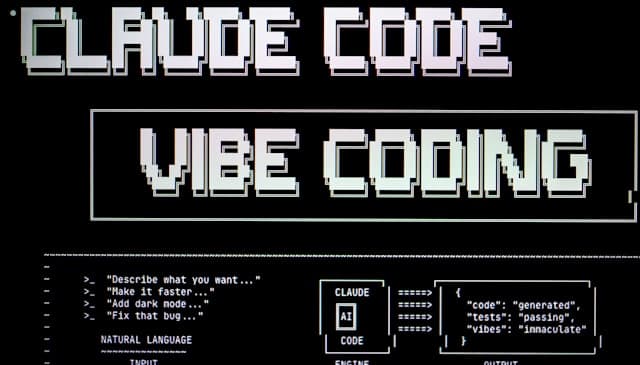
A few months ago, I started rethinking the way I develop from the ground up. Not because I wanted to write less code, but because I wanted to write it better, faster, and with less friction between an idea and shipping it to production. What I call vibe coding is a structured methodology where AI becomes a true development partner, not just an autocomplete engine.
This article is a concrete field report on everything I put in place: from the early phase of a project all the way to production deployment, including the GitHub Actions that let me delegate part of the work to a fully autonomous agent.
Part 1 - Supervised development, day to day
Before writing the first line
The upfront setup of a project shapes everything that follows. If this phase is rushed, the AI goes off in every direction and produces generic code, poorly adapted to the stack and the constraints of the project. Here is what I systematically put in place.
Brainstorming with the AI to frame the project
Before deciding anything technically, I brainstorm with the AI to clarify the project's goal, identify the constraints, and above all define the right stack. This isn't a step I delegate entirely, it's a dialogue. The AI proposes, I question, I push back, and we converge on something coherent.
Installing the right Skills
Claude Code (and similar tools) lets you install skills: context files that steer the AI toward the best practices of a technology or a domain. It's one of the most underrated steps.
My usual selection:
frontend-design- to avoid generic interfaces and push toward real design workimprove-codebase-architecture- to keep a clean architecture across iterationsui-ux-pro-max- for interfaces designed with the user in mindvercel-react-best-practices- to stick to the conventions of the Next.js/Vercel ecosystemweb-design-guidelines,shadcn- for components and visual consistencyfind-skills- to discover new relevant skills as the project goesagent-browser- for tasks that require web navigation- And skills specific to my stack:
better-auth,prisma, etc.
Without these skills, the AI tends to reinvent the wheel or use outdated patterns. With them, it codes in the right idiom from the start.
Creating a CLAUDE.md (or several)
The CLAUDE.md is the reference document the AI reads at every session. It's where I lay out the project context, the stack, the goals, and above all the development rules I want enforced:
- Development in TDD (Red → Green → Refactor)
- Every feature on a dedicated branch
- Security awareness, server-side actions first
- Proper logging for good observability in production
- Updating the file after every major change
A rule I learned the hard way: the CLAUDE.md must not exceed 300 lines. Beyond that, it loses effectiveness. The AI starts diluting the instructions in too much context. So I enforce an explicit rule in the file itself to keep it concise and relevant.
On larger projects, I have several CLAUDE.md files, one at the root of the project, and others in specific subfolders (like .github/CLAUDE.md for instructions specific to the CI runners, which I detail in part 2).
MCPs: powerful, but use sparingly
MCPs (Model Context Protocol servers) let the AI connect to external data sources. In practice, this is extremely useful for debugging against real data without writing ad hoc scripts, I can ask the AI to query my database or my logs directly.
But be careful: every MCP consumes tokens. Adding too many needlessly bloats every call and can degrade the quality of the responses. I only install the ones I need for the current session.
Starting from a good base
Before getting started, I look for a clean, well-configured template or boilerplate. The AI is noticeably more effective when it starts from an existing, coherent codebase than when it scaffolds everything from scratch.
One detail that matters: I install the components and libraries myself, via the official CLIs. If I delegate this step to the AI, it tends to write code "by hand" instead of using the proper tools (npx shadcn add button, npx prisma init, etc.). The result is often less clean and less consistent with the library's conventions.
Building a new feature
Once the project is bootstrapped, the development cycle for a feature always follows the same structure.
1. Initial brainstorming
First, a quick exchange with the AI to organize my ideas, identify edge cases, and confirm I've thought through every aspect of the feature.
2. The /plan command
This is the step that makes the difference between a productive session and a frustrating one. The /plan command asks the AI to question me on certain aspects of the feature before diving in, and to produce a detailed development plan. It lets me check that the AI is heading in the right direction before it writes a single line of code.
3. Development per the CLAUDE.md
The AI develops while following the rules defined upfront: it writes the tests first, makes them pass, then runs the build and the lint to confirm everything is clean. It opens a PR on the branch dedicated to the feature.
4. Testing locally or in preview
Once the feature is built, I test it manually. Depending on the project, that's either locally or in a preview environment (Vercel, for example).
5. Refactor and /review
If the test is conclusive, I ask for a refactor, then I run /review so the AI rereads its own PR with a critical eye. Depending on its feedback, there may be several back-and-forths until the PR is truly clean.
6. CI/CD and merge
Once the PR passes all the CI/CD pipeline checks, it's good to merge. The human keeps control of the merge, always.
Fixing a bug
Bug fixing follows a different protocol, designed to avoid "blind" fixes that address a symptom without treating the cause.
1. Gather the logs. The logs put in place while building the feature are my first source of information. That's why observability is a non-negotiable rule in my CLAUDE.md.
2. Investigate without modifying. I ask the AI to investigate, but without touching the code. The goal is to get one or more testable hypotheses. This step is crucial: depending on the model used, the AI can sometimes fix a specific problem without thinking globally about the impact of its changes. I, as the human, need to clearly understand the problem before authorizing anything.
3. Prove or rule out the hypotheses. I ask the AI to set up scripts or tests to validate the hypotheses. No blind fixes.
4. Red → Green. Once the problem is clearly identified, the AI first writes a failing test (red), then fixes the code to make it pass (green).
5. The rest of the pipeline. Build, tests, testing locally or in preview, review loops, CI/CD, merge. Same process as for a feature.
Part 2 - Agentic Coding with GitHub Actions
Agentic coding is the next step: the AI no longer just runs tasks I hand it live. It runs autonomously in a CI runner, triggers its own commands, opens PRs, and notifies me when it needs a human decision.
I set up two GitHub Actions: one for running tasks, and a second dedicated to review. When someone (me, a collaborator, or me from my phone) mentions the agent on a GitHub issue, it triggers and follows a structured pipeline.
The agent's pipeline
The pipeline the agent follows is defined in a .github/CLAUDE.md file, separate from the project CLAUDE.md and specific to the autonomous mode.
Step 1 - Investigate. The agent reads the issue, the existing comments, and the repo context.
Step 2 - Judge the complexity. This is the critical decision step. If the task is non-trivial (more than 3 files changed, a database migration needed, cross-module refactor, a new dependency, etc.), the agent posts a plan as a comment on the issue and waits for a "go" before coding. If it's trivial (a 1-2 file bug fix, adding a test, a copy tweak), it goes straight to code.
Step 3 - Code on a dedicated branch. The branch follows a strict naming convention: feature/issue-<num>-<kebab-slug>, fix/, or chore/ depending on the nature of the task. Tests are added following the Red → Green → Refactor workflow.
Step 4 - Iterate until green, with a hard cap of 3 attempts. On each iteration, the agent replays the project's entire validation chain: installing dependencies, the test suite, the production build, lint, and type checking. If after 3 attempts a command is still red, the agent does not push the PR. It comments on the issue with what it tried, the remaining errors, and what's blocking it, then stops. This cap is deliberate: a red PR would be blocked at merge by the required checks anyway. Better to report honestly than to push shaky code.
Step 5 - Light self-review. The agent rereads its own diff as if reviewing someone else's PR: obvious bugs, missing tests, edge cases, technical debt introduced.
Step 6 - Fix the critical points, a single cycle. If the self-review identifies blockers, the agent fixes them. A single review → fix → review cycle. If problems persist after that cycle, it reports and stops rather than looping indefinitely.
Step 7 - Rebase if needed. If the branch has diverged from main, the agent rebases. In case of a non-trivial conflict, it comments on the issue and stops, no blind resolution.
Step 8 - Push and open the PR. The PR follows a precise format:
- Short title (< 70 chars), imperative mood
Fixes #<num>to auto-close the issue- A Summary section with the "why", not the "what"
- A Test plan with actionable human scenarios to test on the preview environment
- A list of Files touched
The guardrails
The agent's autonomy is bounded by hard rules I never negotiate:
- Never commit to
main- always a dedicated branch - Never merge its own PR - the merge stays a human act
- Never approve its own PR - even if GitHub's config would technically allow it
- Never commit secrets - no
.env, token, or credential in the code - Never disable a test to make CI pass - if a test breaks, you fix the code or explain why the old behavior no longer applies
- 3-attempt cap on the pipeline, 1-cycle cap on review → fix → review
The sensitive paths
Certain files automatically trigger a second, security-oriented review workflow:
- Authentication and session management
- Secrets and environment variables
- Database migrations and schema
- External APIs, webhooks, crons
- Server-side logic
On these paths, the agent doubles down on vigilance: no secret in the logs, every privileged access goes through a centralized authorization check, every webhook verifies its secret in a timing-safe way, all sensitive mutations happen server-side.
A database isolated per preview
An architectural detail I particularly like: every PR gets its own isolated database, created automatically from a copy of prod. The preview environment connects to that copy, never to prod. This means the agent can test migrations with zero risk to production data. When the PR is closed or merged, that ephemeral database is destroyed automatically.
What this methodology really changes
Vibe coding, the way I practice it, isn't about total delegation. It's about the smart allocation of human attention. The AI handles execution, repetition, mechanical checks. I keep my hands on the architectural decisions, the functional validation, and the final merge.
The result: I ship faster, with fewer bugs, and with a codebase I can reread and understand, because I was in the loop at every step that matters.
This article will be updated as my experiments continue. If you have questions or feedback on this approach, reach out via the contact page.